 AI
Three Things in AI: Connected Apps, Secret Checks, Markdown
Three things, read from the vendors' own pages on October 10, 2026. The theme is tools turning up inside other tools: your project tracker inside Gemini, a password-spotting model inside GitHub's push flow, and plain Markdown files inside Google Docs. One of today's three is free, one is free until you opt in to the metered part, and one has no published plan list at all. Same three slots as issue zero promised. ☕
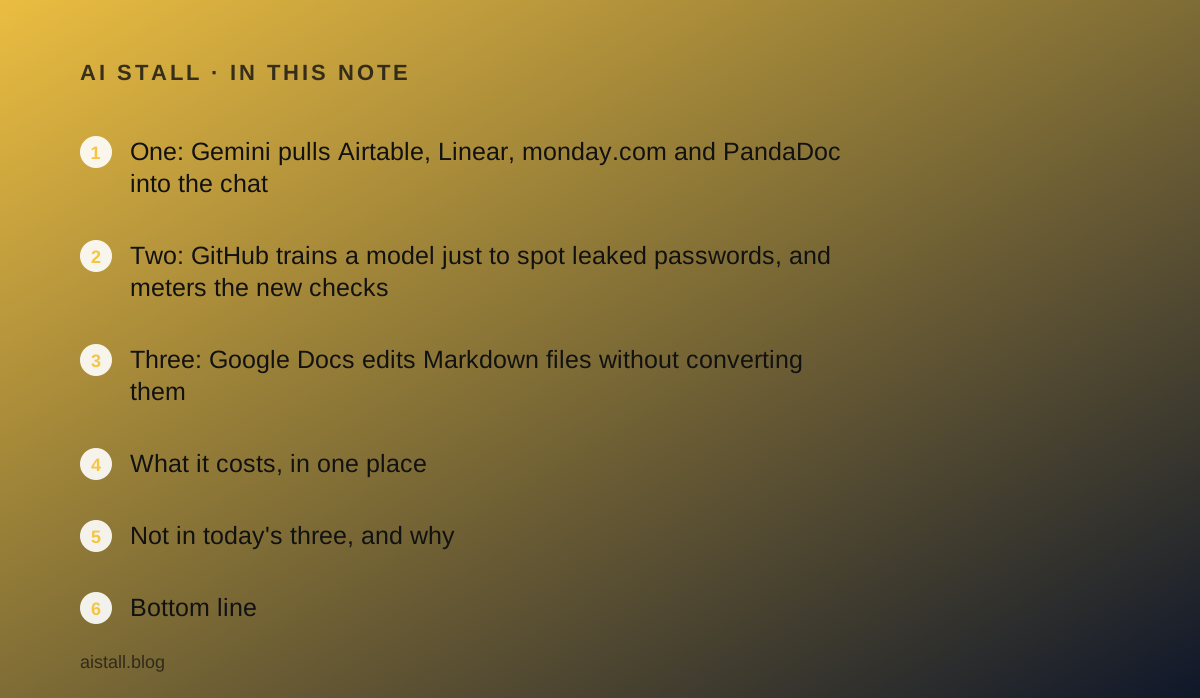
One: Gemini pulls Airtable, Linear, monday.com and PandaDoc into the chat
What shipped. On September 23, 2026 Google published [a post on a new wave of Connected Apps in Gemini](https://blog.google/innovation-and-ai/products/gemini-app/new-connected-apps-gemini/), and listed the same wave again in its October 2 monthly recap, which is why it is here despite the date. Once an app is connected in Gemini settings, you bring it into a conversation with an @ mention or by asking directly.
The small-business half of the list: Airtable, Linear, monday.com, PandaDoc, Wispr AI and Zoho for work; Adobe, Picsart, Squarespace and Webflow for design and websites. The consumer half, Experian, Peloton, SeatGeek and apartments.com, is not today's concern.
What it costs. The post does not say. It names no subscription tier, no country list and no usage limit, and it does not say whether connecting an app costs anything beyond the app's own subscription. The honest line is: plans not published.
Who it changes the week for. com or Linear that uses Gemini as its chat assistant can now ask about a board without opening it.
Whether that is useful depends on how much of your day is "what is the status of X", which for a manager of a small team is a surprising amount.
Check Gemini settings for the connector; if it is not there, the rollout has not reached you, and the post gives no date for when it will.
Two: GitHub trains a model just to spot leaked passwords, and meters the new checks
What shipped. On October 7, 2026 GitHub's changelog announced [a purpose-built model for leaked secret detection](https://github.blog/changelog/2026-10-07-purpose-built-model-for-leaked-secret-detection). It reads the surrounding code to decide whether a string is a credential, which catches plain passwords that have no recognisable token format. It does not write code or prose; it does one job.
It powers three things: AI-detected secret alerts in secret scanning, AI secret detection inside push protection, and secret checks in Copilot's /security-review command. Customers who already had AI-detected alerts were moved to the new model automatically from that day.
What it costs. This is the part to read twice. AI-detected alerts stay included with GitHub Secret Protection and Advanced Security at no extra charge.
The push-protection check and the /security-review check consume GitHub AI Credits, billed to the owning organisation, and the page says a check can consume credits even when it does not block the push.
Push protection is in private preview; the review command checks are described as coming soon and off by default. Billing starts only after an organisation opts in.
Who it changes the week for. Any team on GitHub Team or Enterprise Cloud with Secret Protection.
Two settings matter: an administrator can disable the metered checks by policy and set a budget, and the page notes that budget alerts alone do not stop spending; there is a separate option to stop usage when the limit is reached.
If you were already in the push-protection preview, you will start consuming credits when billing turns on unless you switch it off. The /security-review check needs no Secret Protection licence and works on individual Copilot plans including Free, which is the quiet win here.
Three: Google Docs edits Markdown files without converting them
What shipped. On October 5, 2026 Google's Workspace Updates blog announced [native preview and editing of Markdown files across Drive and Docs](https://workspaceupdates.googleblog.com/2026/10/preview-edit-and-collaborate-on-Markdown-files-natively-across-Drive-and-Docs.html). A .md or .markdown file can now be opened, edited and commented on in Docs while staying a Markdown file. Previously it had to be converted to Docs format, which could change formatting and strip comments. Drive shows a rendered preview with links and tables.
What it costs. Nothing. Availability is all Google Workspace customers and personal Google accounts, with a gradual rollout of up to 15 days from October 5. There is no admin control and no user setting; it simply arrives.
Who it changes the week for. Any team where a developer keeps the README and the operations manual in Markdown and the rest of the company could never open it without a mess. md files, and most coding agents read instructions from Markdown.
Those files can now be reviewed in Docs by the person who owns the process, not only the person who owns the repository.
What it costs, in one place
- Gemini Connected Apps: no plans, regions or limits published in the September 23 post; connection is free to attempt in Gemini settings, each app's own subscription still applies.
- GitHub secret detection: AI-detected alerts included with Secret Protection and Advanced Security; push-protection and /security-review checks consume AI Credits after opt-in, rate not printed, per the October 7 changelog.
- Markdown in Drive and Docs: free, all Workspace customers and personal accounts, rolling out from October 5, 2026.
Not in today's three, and why
Google also published, on September 15, pricing for its Gemini 3.8 Live speech-to-speech model: $0.005 per minute of audio in and about $0.018 per minute out, per [the developer post](https://blog.google/innovation-and-ai/technology/developers-tools/build-real-time-voice-applications-gemini-audio/). It is a developer price for building a voice agent, not a product a small team can switch on, so it sits here as a number to remember rather than a slot.
Trello for Google Workspace gained card creation from Google Chat messages on October 6; real, free, requires a Trello account, and too small for a slot. The previous edition covered who pays when an agent works, and the one before covered Haiku 5.5 pricing. Wednesday's edition is where stacked pull requests and Slack To-dos live.
Bottom line
com, Linear or Airtable and talks to Gemini: look in Gemini settings for the connector, and if it is there, try one status question before deciding anything.
If your developers are on GitHub with Secret Protection: find the AI Credits budget page, set a limit with the stop-usage option, and decide on purpose whether the metered push check is worth it.
If you have Markdown files nobody outside engineering could read: share one in Drive this week and watch it render. Of the three, the Markdown change is the smallest announcement and the one most likely to be used every day. Tomorrow, three more.
Sources
- Google: A new wave of Connected Apps is rolling out to Gemini - checked October 10, 2026
- Google: The latest AI news we announced in September 2026 - checked October 10, 2026
- GitHub changelog: Purpose-built model for leaked secret detection - checked October 10, 2026
- Google Workspace Updates: Preview, edit and collaborate on Markdown files natively across Drive and Docs - checked October 10, 2026
- Google: Build real-time voice applications with Gemini 3.8 Live and 3.5 Transcribe - checked October 10, 2026
- Google Workspace Updates: Create Trello cards from Google Chat messages - checked October 10, 2026