 AI

ChatGPT Business
The team plan for ChatGPT: $20 a seat billed annually, a shared workspace, SSO, and a premium seat tier for the people who hit limits.
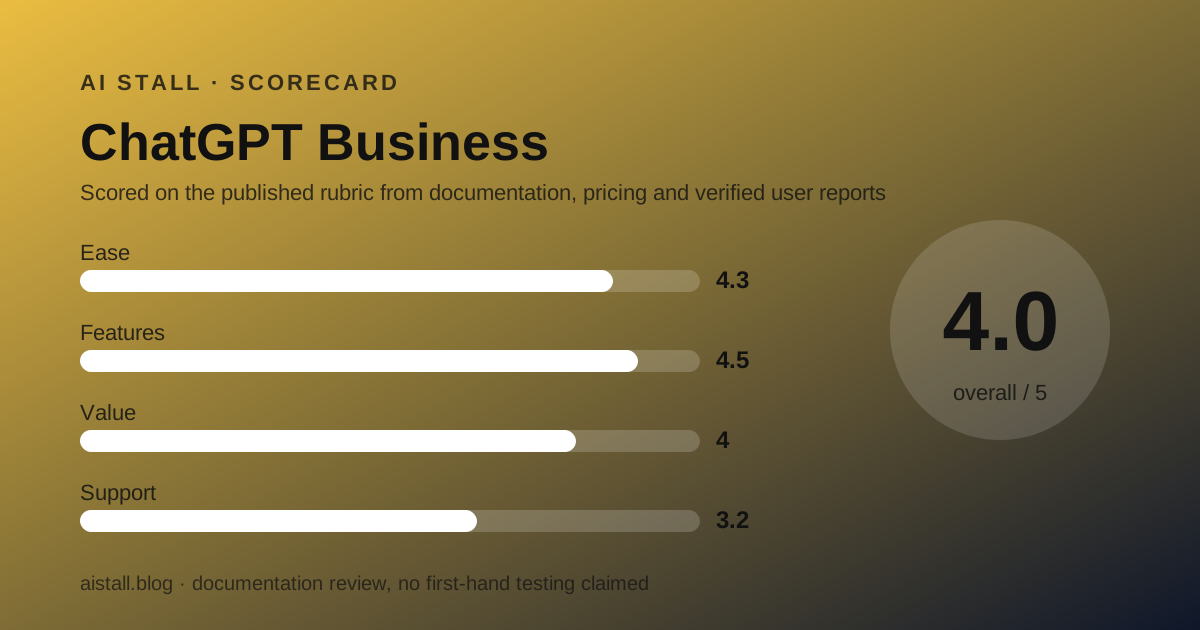
Scored on the published rubric, from documentation, pricing and verified user reports.
Best for: Small teams of 2 to 200 people who want one AI workspace with admin controls, connectors to Google Workspace, Slack, GitHub and Microsoft 365, and no training on company data, at the same per-seat price as the individual Plus plan.
Verdict
This is a documentation review built from OpenAI's business pricing page, its plan comparison table and public user reports, all checked October 10, 2026; no workspace was created for this page. ChatGPT Business is the plan a small team should look at before any other, for one plain reason: a standard seat costs $20 a month billed annually, the same as an individual Plus subscription, and adds a shared workspace, SAML SSO, central billing, usage analytics, spend controls and a no-training-by-default data policy. The premium seat at $100 a month, described as five times the usage with no five-hour limit, lets a team pay more only for the two or three people who actually hit the ceiling. The plan tops out at 200 seats. What the page does not publish is a message count: everyday chats are listed as unlimited subject to abuse guardrails, and every model row says Flexible with a footnote. The support score is the weak spot: public review profiles for OpenAI are dominated by complaints about reaching a human. Value is strong, features are the broadest in the category, and the gaps versus Enterprise (SCIM, data residency, role-based access) are ones most teams under 50 people will not miss.
Visit ChatGPT Business
We have no affiliate relationship with this vendor. Link goes to the official site.
Where it is strong
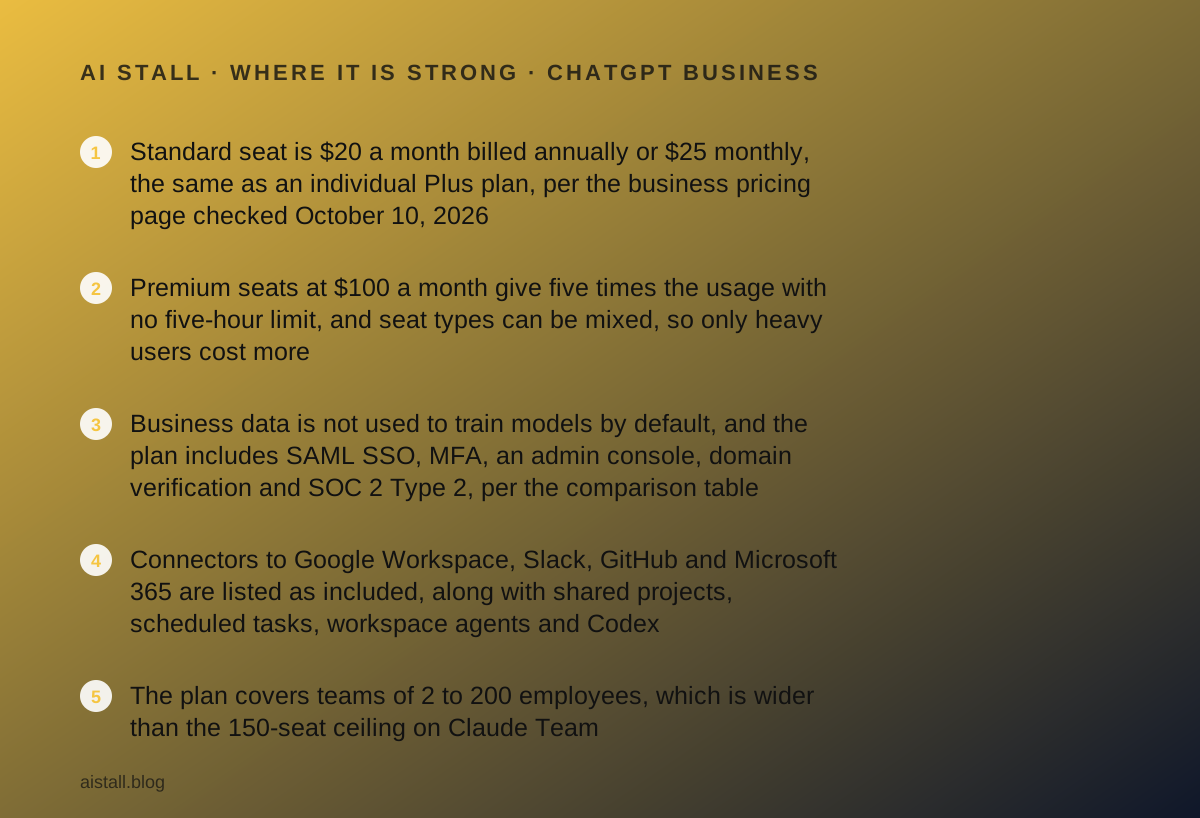
- Standard seat is $20 a month billed annually or $25 monthly, the same as an individual Plus plan, per the business pricing page checked October 10, 2026
- Premium seats at $100 a month give five times the usage with no five-hour limit, and seat types can be mixed, so only heavy users cost more
- Business data is not used to train models by default, and the plan includes SAML SSO, MFA, an admin console, domain verification and SOC 2 Type 2, per the comparison table
- Connectors to Google Workspace, Slack, GitHub and Microsoft 365 are listed as included, along with shared projects, scheduled tasks, workspace agents and Codex
- The plan covers teams of 2 to 200 employees, which is wider than the 150-seat ceiling on Claude Team
Where it falls short
- The pricing page publishes no message or request count for standard seats; model access is marked Flexible with a footnote, so the practical ceiling is not stated
- Enterprise-only items include SCIM, role-based access, Compliance API logs, IP allowlisting, data residency in ten regions and ISO 27001 certification, per the comparison table
- The instant-model context window is 54K on Business against 128K on Enterprise, and the input maximum is about 40 pages against about 250
- Public review profiles for OpenAI are poor on support: Trustpilot shows 1.3 out of 5 from 1,238 reviews as of October 10, 2026, though the profile is unclaimed and not Business-specific
- Memory with past chats is marked coming soon for Business, as of October 2026
At a glance
| Starting price | $20/seat/mo billed annually, $25 monthly |
|---|---|
| Pricing note | From $20/seat/mo billed annually, $25 monthly (pricing page, Oct 2026) |
| Premium seat | $100/seat/mo annually, $125 monthly, 5x usage |
| Seat range | 2 to 200 employees |
| Free plan | Individual Free plan exists; no free team tier |
| Trial | Not listed on the pricing page |
| Data training | No training on business data by default |
| SSO | SAML SSO and MFA included |
| Support channels | Help center; priority support is Enterprise-only |
What ChatGPT Business actually is
ChatGPT Business is the seat-based team tier of ChatGPT. It is not a different model or a different app; it is the same assistant wrapped in a shared workspace with an administrator, central billing and a data policy that a company can show its lawyer.
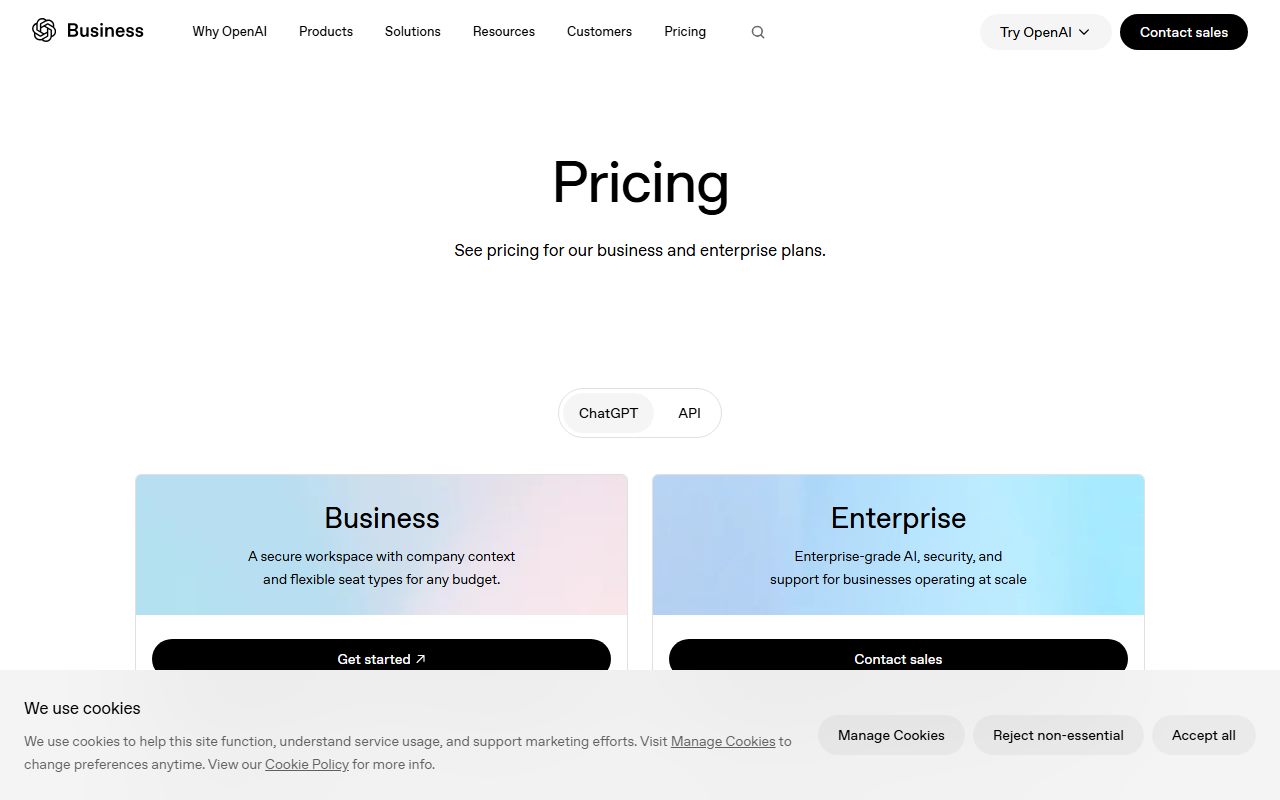
The business pricing page, checked October 10, 2026, describes it in one line: a secure workspace with company context and flexible seat types for any budget. The plan is sold for teams of 2 to 200 employees. Above that, the page points to Enterprise with custom pricing.
Two seat types exist. A standard seat is described as best for everyday work. A premium seat is described as five times more usage than standard, with no five-hour limit. A workspace can mix the two, which is the most useful design decision on the page.
The plan includes what the page calls all ChatGPT, ChatGPT Work and Codex features, on desktop, web and mobile. ChatGPT Work is the agent mode that plans and acts across apps and files; Codex is the coding agent. Both are listed as included on Business, not reserved for Enterprise.
One note on reading the page: it localises prices. From a server in Vietnam the headline showed Vietnamese dong, with the dollar figures underneath. The dollar figures are what this review uses.
Who ChatGPT Business is best for
The plan fits a specific shape of company, and the pricing page makes that shape fairly easy to read.
- A team of 2 to 200 people that already pays for several individual Plus seats and wants them under one invoice with an admin
- A founder who needs to answer the question does it train on our data with a link to the vendor's own table
- A team whose documents live in Google Workspace, Slack, GitHub or Microsoft 365 and wants the assistant connected to them
- A mixed team where two people run long agent jobs all day and ten people ask a question twice a week
- A team with one or two developers who want Codex inside the same workspace rather than a separate coding subscription
- Who should skip it: a team that needs SCIM, data residency outside the US or role-based access, all Enterprise-only per the table
- Who should skip it: a Microsoft 365 Business shop that works mostly inside Office apps, where Microsoft 365 Copilot Business is priced lower on promotion as of October 2026
What a standard seat includes, as of October 2026
The comparison table on the business pricing page is long, and most rows say Yes for both Business and Enterprise. The rows that matter for a small team are these.
Everyday text chats and chat history are listed as unlimited, with an asterisk that reads unlimited subject to abuse guardrails. Every named model row, from GPT-6.1 Sol down to GPT-5 Thinking Mini, is marked Flexible with a double asterisk. The footnote text did not render in the copy we read, so the practical model quota is not something this review can state.
Context is published. The GPT Instant total context window is 54K on Business and 128K on Enterprise. The instant input maximum is about 40 pages on Business and about 250 on Enterprise. The reasoning context is 256K and about 320 pages on both.
Feature rows marked Yes for Business include ChatGPT Work on desktop, web and mobile, Codex, projects and shared projects, scheduled tasks, Sites, a built-in browser, workspace agents, data analysis, record mode, deep research, image generation, and the Excel, Word, PowerPoint and Google Sheets extensions.
Two rows are worth noting as not yet there. Memory with past chats is marked coming soon. Memory sources is marked No on both tiers.
Behind the Enterprise paywall sit SCIM, Enterprise Key Management, granular GPT controls and group permissions, role-based access, Compliance API logs, IP allowlisting, data residency in ten regions, Intune for iOS, a branded workspace, a global admin console, a connector registry and ISO 27001 certification. Business keeps SOC 2 Type 2.
How the pricing is structured
There are two numbers to remember. A standard seat is $20 a month billed annually or $25 billed monthly. A premium seat is $100 a month billed annually or $125 billed monthly. Both are per seat, per the pricing page checked October 10, 2026.
For a ten-person team on standard seats, the annual commitment is $2,400 a year, or $250 a month on monthly billing. That is the editors' arithmetic from the listed prices, not a figure the vendor prints.
The interesting case is the mixed team. Eight standard seats and two premium seats, billed annually, come to $360 a month, or $4,320 a year. The alternative of moving everyone to premium would be $1,000 a month. Mixing is how the plan stays affordable.
The page lists no seat minimum beyond the phrase teams of 2 to 200 employees, and no trial. Enterprise is custom pricing, with a footnote that credit-based and token-based pricing are available for Enterprise plans.
For context, the individual tiers on the separate ChatGPT pricing page run Free, Go, Plus and Pro. Plus is the one most small teams compare against, and it costs the same $20 a month as a Business standard seat. The individual page showed prices in local currency from our location, so the dollar figures above come from the business page.
If your team's AI spend is split between a chat subscription and API calls, the Haiku 5.5 pricing note covers the per-token side of the market as of October 2026.
Ease of use: what the 4.3 is built from
The score rests on three documented facts rather than a walkthrough. First, the product is the same ChatGPT that most of a team has already used on a personal account, so onboarding is a login, not a training course.
Second, the admin surface is listed as an admin console with bulk member management, admin roles, domain verification and basic user analytics, all on Business. That is enough for a company under 200 people to add and remove seats without a ticket.
Third, the apps run on desktop, web, iOS and Android, and the Excel, Word, PowerPoint and Google Sheets extensions are included. The point deducted reflects the unstated model quotas: a team cannot plan around a limit the page does not print.
Features: what the 4.5 is built from
On the comparison table, Business and Enterprise match on almost every capability row. ChatGPT Work, Codex, deep research, workspace agents, shared projects, scheduled tasks, Sites, the built-in browser, record mode and image generation with Thinking are all Yes on Business.
Connectors are listed as Google Workspace, Slack, GitHub, Microsoft 365 and more. Apps connecting to internal tools and interactive apps are both Yes. Company knowledge, the row that lets the assistant search a workspace's connected sources, is Yes on Business.
The half point withheld is for Dots. The row reads Business Premium for the Business plan and Yes for Enterprise, which suggests the always-on agent is tied to the premium seat rather than the standard one. The page does not explain the row further.
Value: what the 4.0 is built from
Value is judged against what the same money buys elsewhere. At $20 a seat billed annually, Business matches the individual Plus price and the standard seat on Claude Team, per both vendors' pages checked October 10, 2026.
Against Claude Team, ChatGPT Business allows 200 seats rather than 150 and includes the Office and Google Sheets extensions. Against it, Claude Team includes up to $500 a month in pooled API credits, which ChatGPT Business does not list.
The deduction is for opacity. A buyer cannot tell from the page how many reasoning requests a standard seat gets per day or week. The premium seat's no five-hour limit wording implies a standard seat has one, but the window's size is not published.
Support: what the 3.2 is built from
The pricing page lists 24/7 priority support, SLAs and custom legal terms under Enterprise only. Business gets the help center and the admin console. That is normal for a self-serve tier, but it sets expectations.
Public reports pull the score down. Trustpilot's page for openai.com, read October 10, 2026, shows a TrustScore of 1.3 out of 5 from 1,238 reviews, with 84 percent at one star. Trustpilot notes the profile is unclaimed and the company has not invited reviews, so the sample is self-selected and covers consumers as much as business customers.
The recurring themes in those reviews are unanswered tickets, accounts deactivated without warning and billing disputes. None of that is Business-specific, and none of it is verifiable from the outside, but a team buying 50 seats should know that the public record on support is bad.
What verified users report
There is no Business-specific review profile this review could read. G2 and Capterra returned access errors on October 10, 2026, and Gartner Peer Insights did not have a page under the product name at the address checked.
What exists is the general OpenAI profile on Trustpilot described above, and the vendor's own Enterprise page, which quotes customer figures such as 83 percent weekly active users and 98 percent preference over other tools. Those are vendor-selected case studies and are not treated here as independent evidence.
The honest summary is that independent, plan-specific reports on ChatGPT Business were not available to us this month. The grades above come from the vendor's documentation and the general public record.
Limits stated by the vendor, privacy and data use
The privacy row is the clearest thing on the page: content is used to train our models, No, for Business and Enterprise, with a link to the privacy commitment. The plan summary repeats it as no training on your business data by default.
Security rows on Business are SAML SSO, MFA, a dedicated workspace, unified billing, SOC 2 Type 2 compliance, domain verification and an analytics dashboard. Custom data retention policies, encryption controls under Enterprise Key Management and the Compliance API are Enterprise-only.
The limits the vendor states are the ones already listed: 54K instant context, about 40 pages of instant input, 256K reasoning context, and a five-hour usage window implied by the premium seat's wording. The pricing page gives no number of messages per window.
The guidance from our issue zero applies: where the vendor does not publish a figure, this review says so rather than guessing.
Alternatives
Claude Team. Same $20 standard and $100 premium seat prices billed annually, per the Claude pricing page checked October 10, 2026, with 2 to 150 seats, up to $500 a month in pooled API credits, Claude Code and a no-training default.
Choose Claude Team if your team has developers who will use the API credits or Claude Code. Otherwise choose ChatGPT Business for the wider seat range and the Office and Sheets extensions. The full case is in ChatGPT Business vs Claude Team.
Microsoft 365 Copilot Business. An add-on to an existing Microsoft 365 Business plan, listed at $21 a user a month paid yearly with a promotional $18 through December 31, 2026, for up to 300 users, per Microsoft's pricing page. Choose it if your team already pays for Microsoft 365 and works inside Word, Excel, Outlook and Teams. Otherwise choose ChatGPT Business, which does not require a second subscription. See the Microsoft 365 Copilot Business review.
All three sit in our best AI assistant plans for small teams ranking, with the reasoning for the order.
Buy it if, skip it if
Buy it if your team is between 2 and 200 people and already pays for two or more Plus seats. Buy it if you need SSO and a written no-training policy. Buy it if one or two heavy users can take premium seats while the rest stay on standard.
Skip it if you need SCIM, data residency or role-based access, which are Enterprise-only. Skip it if your company runs on Microsoft 365 Business and lives in Office apps. Skip it if you need a published request quota to budget against, because the page does not give one.
One process note from the October 9 brief: whichever assistant you pick, decide who in the company is accountable for what it produces before you roll out seats, not after.
Bottom line
ChatGPT Business is the default team plan in this category because it costs no more than the individual plan and adds everything a small company needs to buy software as a company. Standard seats at $20 a month billed annually, premium seats at $100 for the heavy users, 2 to 200 people, no training by default, SSO and an admin console, all per the pricing page checked October 10, 2026.
The two weaknesses are real. The vendor does not publish model quotas for a standard seat, and the public record on support is poor. If either is a blocker, read the Claude Team review next; if neither is, this is the plan to start with.
Buy it if
- Your team is between 2 and 200 people and already pays for two or more individual Plus seats, because the Business seat costs the same and adds admin controls
- You need SAML SSO, central billing and a written no-training policy before legal will sign off
- Your work lives in Google Workspace, Slack, GitHub or Microsoft 365 and you want the assistant connected to those tools
- One or two people are heavy users and the rest are occasional: mix premium and standard seats instead of upgrading everyone
Skip it if
- You need SCIM provisioning, data residency outside the US or role-based access, which the comparison table reserves for Enterprise
- Your team is already on Microsoft 365 Business and mostly works inside Word, Excel, Outlook and Teams, where Microsoft 365 Copilot Business starts lower on promotion
- You want a published request quota you can budget against, which this page does not give
Frequently asked
How much does ChatGPT Business cost for a 10-person team?
Per the business pricing page checked October 10, 2026, a standard seat is $20 a month billed annually, so ten seats come to $2,400 a year. Billed monthly the seat is $25, or $250 a month for ten. That arithmetic is ours, from the vendor's listed prices.
Is ChatGPT Business the same as ChatGPT Team?
The current pricing page sells the team tier under the name Business, with standard and premium seats for teams of 2 to 200 employees. The vendor's page does not use the name Team as of October 2026; older articles that mention Team refer to the same seat-based product.
Does ChatGPT Business train on our data?
No, by default. The plan comparison table lists Content is used to train our models as No for both Business and Enterprise, and the plan summary says no training on your business data by default, as of October 10, 2026.
What is the difference between a standard and a premium seat?
Per the pricing page, a premium seat at $100 a month billed annually gives five times the usage of a standard seat with no five-hour limit. Seat types can be mixed within one workspace, so a team can buy premium seats only for its heaviest users.
Does ChatGPT Business have a free trial?
The business pricing page lists no trial for the Business plan as of October 10, 2026. The individual Free plan exists for trying the product, but it has no workspace, admin console or SSO. The vendor's page says Try ChatGPT Business, which leads to checkout.
Is ChatGPT Business worth it over two Plus subscriptions?
On price it is a wash: both are $20 a month billed annually per the pricing pages. Business adds a shared workspace, SSO, central billing, admin roles, usage analytics and a no-training default, so for any team that invoices as a company it is the better buy.
Sources
- OpenAI business pricing page (Business and Enterprise) - checked October 10, 2026
- ChatGPT pricing page (individual plans) - checked October 10, 2026
- ChatGPT Enterprise overview - checked October 10, 2026
- Trustpilot profile for openai.com - checked October 10, 2026
Update history
- October 10, 2026 - First published from the OpenAI business pricing page and comparison table checked October 10, 2026.
Visit ChatGPT Business
We have no affiliate relationship with this vendor. Link goes to the official site.