 AI
The best AI assistant plans for small teams in 2026
Our top pick for most small teams is ChatGPT Business: $20 a seat a month billed annually, 2 to 200 people, SSO and no training on your data by default, per OpenAI's business pricing page checked October 10, 2026. Claude Team costs the same and is the better plan for teams with developers, because Claude Code and up to $500 a month in pooled API credits come on the standard seat. Microsoft 365 Copilot Business is cheapest on promotion at $18 a user, but only for companies already paying for Microsoft 365. This list ranks the three on price, published limits, admin controls and public user reports. We did not run tests of our own; every figure is from a vendor page or a named review profile with the date it was read.
Our picks
- Best overall for most small teams: ChatGPT Business
- Best for teams with developers or long documents: Claude Team
- Best if you already run on Microsoft 365: Microsoft 365 Copilot Business
The best AI assistant plans at a glance
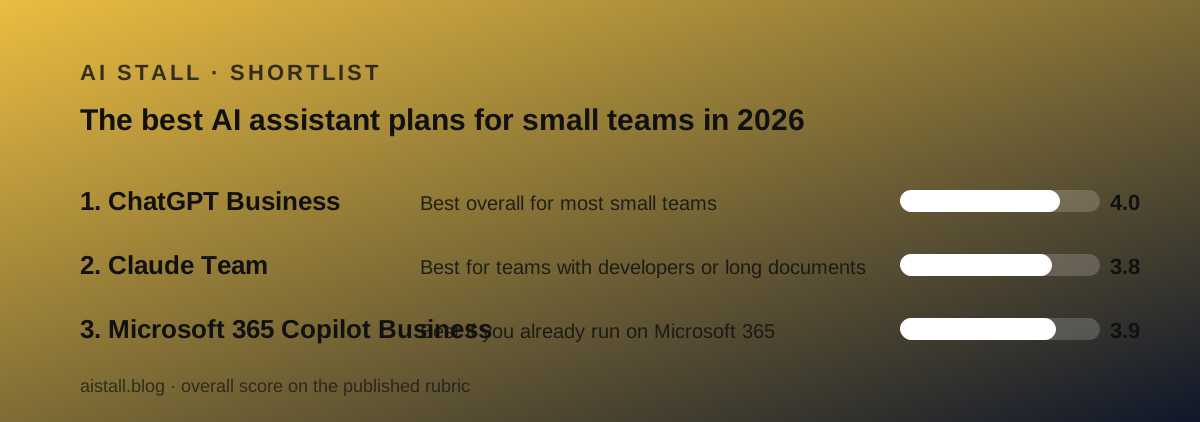
Three plans made the list, and the order depends on one question: what does your team already pay for? The at-a-glance list is followed by how we picked, then a block on each plan in the same shape, then the plans that did not make the cut.
- ChatGPT Business, best overall for most small teams: $20 a seat billed annually, 2 to 200 seats, overall 4.0 on our rubric
- Claude Team, best for teams with developers or long-document work: $20 a seat billed annually, 2 to 150 seats, up to $500 a month in pooled API credits, overall 3.8
- Microsoft 365 Copilot Business, best if you already run on Microsoft 365: $18 a user on promotion through December 31, 2026, $21 list, up to 300 users, requires a Microsoft 365 Business plan, overall 3.9
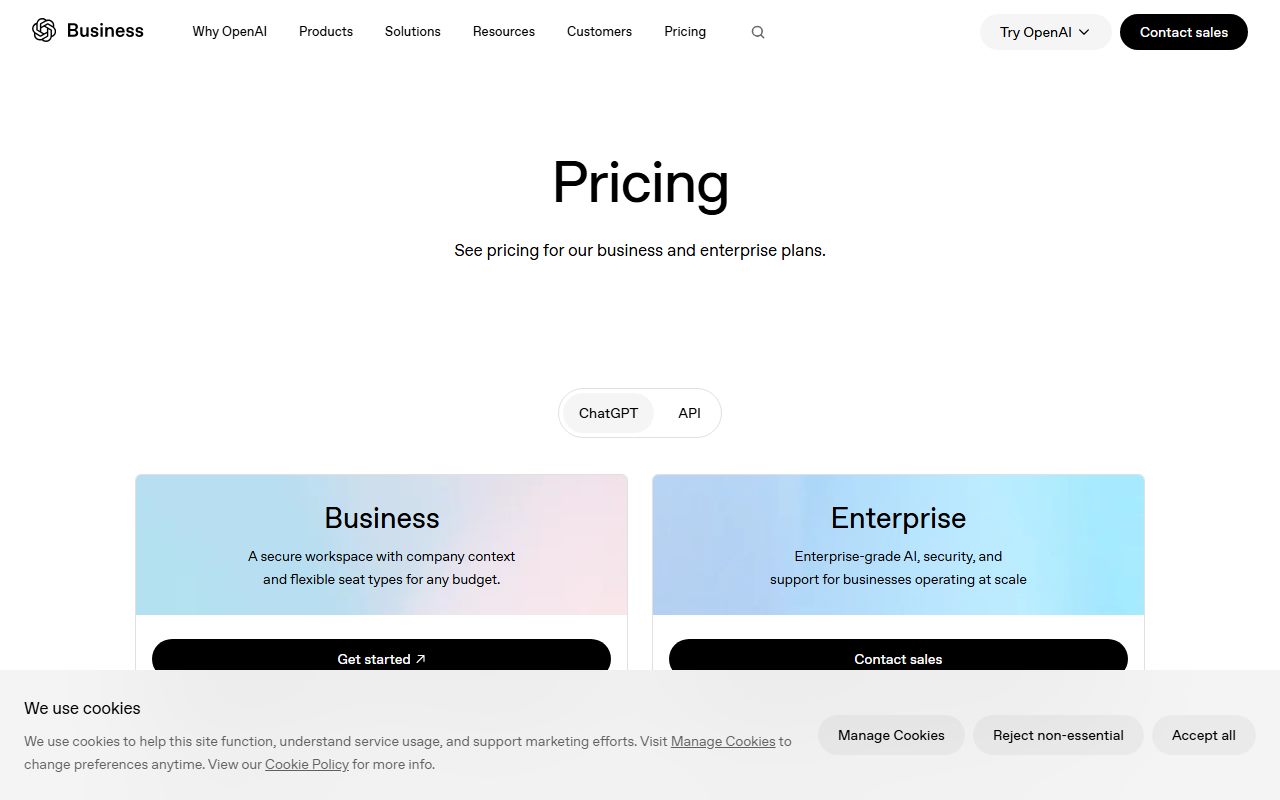
Prices are per seat per month on annual billing, from the three vendors' pricing pages checked October 10, 2026. Monthly billing is $25 on the first two and $25.20 on the third. Overall scores are the plain average of our four rubric grades for ease, features, value and support.
How we picked
We did not run tests of our own; grades come from documentation, pricing pages and verified user reports checked on October 10, 2026. No workspace, tenant or trial was created for this page. Four criteria decided the order.
Price you can budget. The headline seat price, the monthly alternative, the premium tier and any base-plan requirement, all as printed on the vendor's page. A promotional price counts only with its end date and conditions attached.
Limits the vendor publishes. Seat ceilings, context windows, page limits and usage windows, as stated. Where a vendor does not print a message quota, the plan is marked down for opacity, not guessed at.
Admin controls on the self-serve tier. SSO, admin console, training policy and what is held back for Enterprise. All three plans decline to train on company data by default, so this criterion separates them on provisioning and audit rather than on privacy.
Public user reports. Trustpilot and Gartner Peer Insights were readable on the day; G2 and Capterra were not. Trustpilot profiles for both OpenAI and Anthropic are unclaimed and consumer-heavy, and we say so wherever a score is quoted.
The rule from our issue zero governs the whole page: primary sources, stated costs, and the words the vendor does not publish wherever a number is missing.
Best overall for most small teams: ChatGPT Business
The default team plan, because it costs no more than the individual plan and adds everything a company needs to buy software as a company.
What it costs. A standard seat is $20 a month billed annually or $25 monthly; a premium seat with five times the usage and no five-hour limit is $100 or $125; seat types can be mixed; the plan covers 2 to 200 employees. All per OpenAI's business pricing page checked October 10, 2026. Ten standard seats are $2,400 a year, by our arithmetic.
What you get. ChatGPT Work, Codex, shared projects, scheduled tasks, workspace agents, deep research, record mode, and the Excel, Word, PowerPoint and Google Sheets extensions, per the comparison table. Connectors are named as Google Workspace, Slack, GitHub and Microsoft 365. SAML SSO, MFA, an admin console, domain verification and SOC 2 Type 2 are on Business. Content is not used for training by default.
What is held back. SCIM, role-based access, Compliance API logs, IP allowlisting, data residency in ten regions and ISO 27001 are Enterprise-only. The instant context window is 54K on Business against 128K on Enterprise.
What is not published. A message or request quota for a standard seat. Every model row reads Flexible with a footnote; everyday chats are unlimited subject to abuse guardrails. The practical ceiling has to be learned by using it.
What users report. Trustpilot shows openai.com at 1.3 out of 5 from 1,238 reviews as of October 10, 2026, with support, account deactivation and billing the main complaints; the profile is unclaimed and not Business-specific. No plan-specific profile could be read.
Why it sits at #1. Same price as Claude Team, 50 more seats, the Office and Sheets extensions named on the table, and published context limits. It is the plan with the fewest reasons to say no for a general office team. Read the full ChatGPT Business review. Deciding between the top two? Read ChatGPT Business vs Claude Team.
Best for teams with developers or long documents: Claude Team
The same $20 seat with a coding agent and an API budget attached, and the most candid plan page in the category about what is missing.
What it costs. A standard seat is $20 a month billed annually or $25 monthly; a premium seat with five times the usage is $100 or $125; seat types can be mixed; the plan covers teams of 2 to 150. Up to $500 a month in pooled API credits is included. All per Anthropic's pricing and Team pages checked October 10, 2026.
What you get. Claude Code, the agent mode, projects with sharing, connectors, skills, memory, web search, Research, enterprise search, Design, Slides, Docs, Dashboards in beta, Claude Science, Claude in Chrome and Claude for Microsoft 365 and Outlook. SSO, domain verification, central billing, connector controls and usage analytics on the admin side. No training on your content by default.
What is held back. The Team page lists it: domain capture, role-based access, SCIM, audit logs, the Compliance API, custom data retention and HIPAA readiness are Enterprise-only. Payment is card only; invoicing and ACH are Enterprise features. No trial is listed.
What is not published. A message count. Usage resets on a rolling five-hour window with weekly limits on paid plans; a Team seat is described only as more usage than Pro. Premium seats get Fable at 50 percent of weekly limits.
What users report. Trustpilot shows claude.ai at 1.5 out of 5 from 2,042 reviews as of October 10, 2026, with usage limits, a usage credits toggle described as on by default, and AI-only support the main complaints; the profile is unclaimed. Gartner Peer Insights lists Claude at 4.6 out of 5 from 103 ratings.
Why it sits at #2. It loses to ChatGPT Business on seat ceiling, on published limits and on the absence of a trial, and the usage complaints in public reviews are louder. It beats ChatGPT Business for any team that will spend the API credits or put a developer on Claude Code, which is why it is a pick and not an also-ran. Read the full Claude Team review.
Best if you already run on Microsoft 365: Microsoft 365 Copilot Business
The cheapest paid assistant in this list for the next year, and the only one that drafts inside the files a Microsoft shop already has open, with one large condition.
What it costs. The add-on is $21 a user a month paid yearly, discounted to $18 for the first year on an annual commitment between July 1 and December 31, 2026, or $25.20 on monthly billing, for up to 300 users. A qualifying Microsoft 365 plan is required: Business Basic, Standard or Premium, Apps for Business or Teams Essentials, per the Microsoft Learn licensing article dated September 25, 2026.
Bundles are $23.50 for Business Standard with Copilot and $32.00 for Business Premium with Copilot, paid yearly.
What you get. Copilot inside Word, Excel, PowerPoint, Outlook and Teams; chat grounded in the tenant's files, mail and meetings through Work IQ; the Researcher, Analyst and Facilitator agents; adoption analytics; model choice; Enterprise Data Protection. A one-month trial, card required. Copilot Chat, the web-grounded layer, is free with eligible plans.
What is held back or metered. Copilot Cowork and agent usage are marked Metered with no rate printed. Models are named only as Latest OpenAI models: GPT-5.X. There is no coding agent or API credit on the Business add-on.
What is not published. The metered agent rate, a per-user usage quota, and the Enterprise add-on price, whose tab did not render in the copy we read.
What users report. Gartner Peer Insights lists Microsoft 365 Copilot at 4.4 out of 5 from 824 ratings as of October 10, 2026, a sample that skews to larger organisations and the enterprise SKU. G2 and Capterra could not be read.
Why it sits at #3. Not because it is the weakest product, but because it is the least portable. For a company already on Microsoft 365 it would rank first on price and on in-app drafting. For every other company the base-plan requirement makes it the most expensive option here, and the metered agent line is an unknown on top. Read the full Microsoft 365 Copilot Business review.
Also compared, and why they did not make the cut
Gemini for Google Workspace. Google has folded Gemini into Workspace Business plans rather than selling a separate seat, and the Connected Apps rollout covered in our October brief names no tier, country list or usage limit. Without a readable per-seat price for the assistant alone, it cannot be placed on this list; a Google Workspace shop should read that brief and check its own plan.
ChatGPT Enterprise and Claude Enterprise. Both are the right answer above 200 and 150 seats respectively, and both add SCIM, audit logs and residency. OpenAI lists Enterprise as custom pricing; Anthropic lists $20 a seat a month billed annually plus usage at API rates. Neither is self-serve in the way this list assumes, so they are noted, not ranked.
Individual plans bought in bulk. Reimbursing ChatGPT Plus or Claude Pro seats costs the same $20 a month as a team seat on annual billing, per the pricing pages, but loses SSO, central billing and, on Claude's side, the no-training default, since individual plans use an opt-out. This is the option to stop doing, not one to rank.
Copilot Chat on its own. Free with eligible Microsoft 365 plans and worth switching on, but it is web-grounded only and custom agents are metered, per Microsoft's FAQ. It is a free layer under the paid add-on, not a plan.
Reimbursed individual Plus or Pro seats. Same $20 a month on annual billing but no SSO or central billing, and Claude's individual plans use an opt-out for training rather than a default off.
Copilot Chat alone. Free with eligible Microsoft 365 plans but web-grounded only, with custom agents metered; a free layer, not a plan.
How to choose an AI assistant plan for a small team
Start with what you already pay for. If the company is on Microsoft 365 Business, price the Copilot add-on first, because at $18 on promotion it is the lowest number here and the only one inside Outlook. If the company is on Google Workspace, check what Gemini your plan already includes before buying any seat.
Count the people who will use it daily. Both $20 plans sell a $100 premium seat for a reason: neither publishes a standard-seat quota, and public reviews say the ceiling arrives. Plan on one or two premium seats per ten people until your own usage says otherwise.
Ask whether anyone will call an API. If yes, Claude Team's pooled credits of up to $500 a month are a second product on the same bill. If no, the credits are worth nothing and ChatGPT Business's wider seat range and named extensions decide it.
Read the Enterprise-only list before you need it. All three vendors hold back SCIM, audit logs and residency. If your first enterprise customer will ask for those, know which vendor's step-up price you can live with: Anthropic prints $20 a seat plus usage, the other two say contact sales.
Decide who is accountable. Whichever plan you pick, our October 9 brief covered a usage policy that requires a human reviewer for decisions touching health, money, housing or jobs. Name that person before you assign seats.
Bottom line
For most small teams, ChatGPT Business is the plan to start with: $20 a seat billed annually, 2 to 200 people, SSO and no training on your data, per the pricing page checked October 10, 2026. Teams with developers or long-document work should buy Claude Team at the same price for Claude Code and the API credits. Companies already on Microsoft 365 should price the Copilot Business add-on first, at $18 through December 31, 2026.
None of the three publishes a standard-seat usage quota, and none sells a human support contact on the self-serve tier. Those are the two facts to carry into the purchase, and the reasons this list is ranked by what you can verify rather than by what the vendors promise.
Last checked October 10, 2026. What changed: first edition.
Best overall for most small teams: ChatGPT Business
A standard seat at $20 a month billed annually or $25 monthly, a premium seat with five times the usage at $100 or $125, mixable within a workspace of 2 to 200 employees, per OpenAI's business pricing page checked October 10, 2026. Includes ChatGPT Work, Codex, shared projects, workspace agents, the Office and Google Sheets extensions, SAML SSO, an admin console and a no-training default. Published context limits: 54K instant, 256K reasoning. Not published: a message quota. Held back for Enterprise: SCIM, role-based access, audit logs, data residency. Public support record is poor on Trustpilot, 1.3 out of 5, unclaimed and consumer-wide.
Same price as Claude Team with 50 more seats, named Office extensions and published context limits; the plan with the fewest reasons to say no for a general office team.
Visit ChatGPT Business
We have no affiliate relationship with this vendor. Link goes to the official site.
Best for teams with developers or long documents: Claude Team
The same $20 standard and $100 premium seat prices billed annually, for teams of 2 to 150, with up to $500 a month in pooled API credits and Claude Code on every seat, per Anthropic's pricing and Team pages checked October 10, 2026. Includes projects with sharing, connectors, Research, enterprise search, Claude in Chrome and Claude for Microsoft 365, plus SSO and central billing, with no training by default. The Team page lists what is missing in writing: SCIM, audit logs, role-based access, custom retention, invoicing. Usage runs on a five-hour window with weekly limits and no published count; Trustpilot complaints centre on limits and AI-only support.
Loses to ChatGPT Business on seat ceiling, published limits and the absence of a trial; wins for any team that will spend the API credits or put a developer on Claude Code.
Visit Claude Team
We have no affiliate relationship with this vendor. Link goes to the official site.
Best if you already run on Microsoft 365: Microsoft 365 Copilot Business
An add-on to Microsoft 365 Business plans at $21 a user a month paid yearly, discounted to $18 for the first year on an annual commitment through December 31, 2026, or $25.20 monthly, for up to 300 users, per Microsoft's pricing page checked October 10, 2026. Puts Copilot inside Word, Excel, PowerPoint, Outlook and Teams, grounds chat in the tenant's own files through Work IQ, and includes the Researcher, Analyst and Facilitator agents and a one-month trial. Agent usage and Cowork are metered with no printed rate. Gartner Peer Insights rates the product 4.4 out of 5 from 824 ratings, a sample that skews enterprise.
Cheapest on promotion and the only plan inside Office apps, but it cannot be bought without a Microsoft 365 plan, which makes it the most expensive and least portable option for everyone else.
Visit Microsoft 365 Copilot Business
We have no affiliate relationship with this vendor. Link goes to the official site.
How we chose
We did not run tests of our own; grades come from documentation, pricing pages and verified user reports checked on October 10, 2026. Each plan was graded on four criteria: price you can budget, including any base-plan requirement and the terms of any promotion; limits the vendor publishes, with a markdown for unpublished quotas; admin controls on the self-serve tier and what is held back for Enterprise; and public user reports from Trustpilot and Gartner Peer Insights, with the caveat that both Trustpilot profiles are unclaimed. The overall score is the plain average of the four rubric grades. No workspace, tenant or trial was created for this page.
Frequently asked
What is the cheapest AI assistant plan for a small team?
On the headline number, Microsoft 365 Copilot Business at $18 a user a month paid yearly on promotion through December 31, 2026, per Microsoft's pricing page. But it requires a Microsoft 365 Business plan on top. For a team without one, ChatGPT Business and Claude Team tie at $20 a seat billed annually.
Is a team plan worth it over individual ChatGPT Plus or Claude Pro seats?
On annual billing the seat price is the same $20 a month, per the pricing pages checked October 10, 2026, so the team plan is strictly better for a company: it adds SSO, central billing and an admin, and on Claude's side turns training off by default rather than by opt-out.
How many seats can each plan have?
ChatGPT Business covers 2 to 200 employees, Claude Team 2 to 150, and Microsoft 365 Copilot Business up to 300 users, per the three vendors' pricing pages as of October 10, 2026. Above those limits, each vendor points to an enterprise contract.
Which small-team AI plan has a free trial?
Only Microsoft 365 Copilot Business lists one: a one-month trial that converts to paid unless cancelled, credit card required, and the promotional price does not apply to trials. Neither ChatGPT Business nor Claude Team lists a trial on its pricing page as of October 2026.
Do these plans train on our company data?
All three say no by default. OpenAI's comparison table marks training as No for Business, Anthropic's table marks it None by default for Team, and Microsoft lists Enterprise Data Protection on the add-on. Claude's individual plans use an opt-out instead, which is a reason to buy Team.
How much usage does a standard seat get?
None of the three vendors publishes a message or request count for a standard seat as of October 10, 2026. OpenAI's table says unlimited everyday chats subject to abuse guardrails with model access marked Flexible; Anthropic describes a five-hour window with weekly limits; Microsoft marks agent usage as metered.